


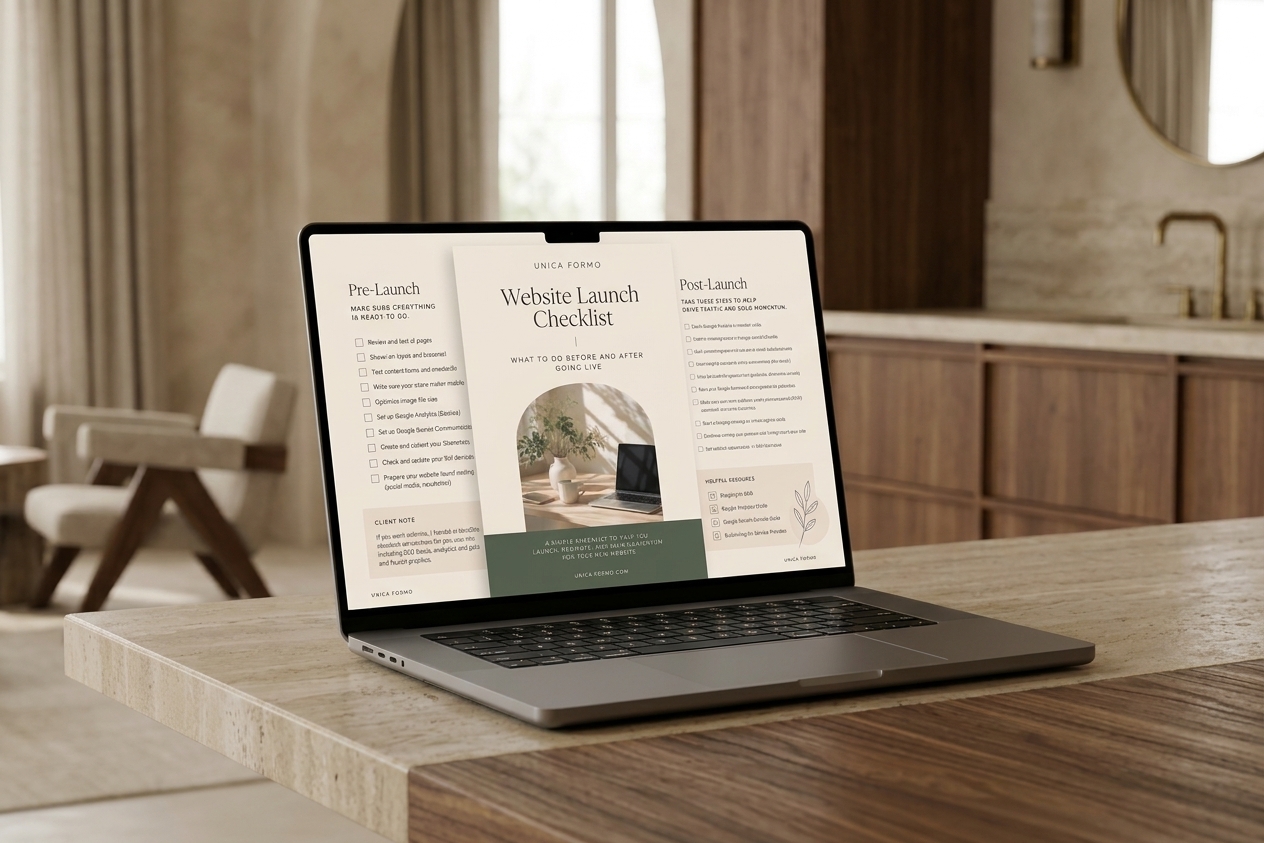
Your new website is almost ready to launch! You’ve spent weeks (maybe months!) planning, writing copy, gathering photos, making design decisions, and getting everything ready to share with the world. And while finally seeing your website live is exciting (as it should be!), there’s something I always want my clients to understand: launching your website is just the beginning.
A new website doesn’t automatically mean new traffic, inquiries, or better Google rankings overnight. Even a beautifully designed, SEO-optimized website needs people to find it, visit it, and interact with it. The good news? There are plenty of things you can do to help.
I’ve put together this website launch checklist to walk you through what to do before launch, how to announce your new website, and what you can do afterward to start building traffic and improving your visibility. Whether you’re working with a professional designer, refreshing an existing website, or handling everything yourself, these are the steps I recommend to help you make the most of your launch. And if we’ve worked together on your website, I’ll point out which parts I’ve already handled for you along the way!

Part One: Before Your Website Launches
1. Create a Website Launch Timeline (And Start Building Some Excitement!)
One of the biggest opportunities I think business owners miss is waiting until their website is live to start talking about it. You don’t need a huge marketing campaign, but I always encourage clients to start building a little anticipation before launch day.
Think about it: you’ve invested time, money, and energy into creating a website that better represents your business. Why not give people something to look forward to? Rather than revealing the entire design all at once, you can share little pieces along the way. Maybe that’s a peek at your new brand colors, a behind-the-scenes photo from your branding process, or a post about why you decided it was time for a new website.
You could even talk about the problems your previous website wasn’t solving and what you’re excited to offer with the new one.
Here’s a simple website launch timeline you can follow:
- Two weeks before launch: Start mentioning that something new is coming. Share behind-the-scenes details, a little bit of your brand story, or why you’re making changes.
- One week before launch: Share a sneak peek! This could be a small section of your homepage, a cropped screenshot, your new color palette, or a quick video of the design process. You don’t need to give everything away yet.
- A few days before launch: Announce your launch date. Let people know when they can expect to see the new website and give them a reason to check it out.
- Launch day: Share your announcement, send your newsletter, and start directing people to the new site.
- The week after launch: Keep talking about it! Share a favorite page, highlight a new service, or walk people through a feature they might find helpful.
And please don’t feel like you have to do all of this. If social media isn’t a huge part of your business, that’s fine. The point is to be intentional about getting your new website in front of the people who already know you.
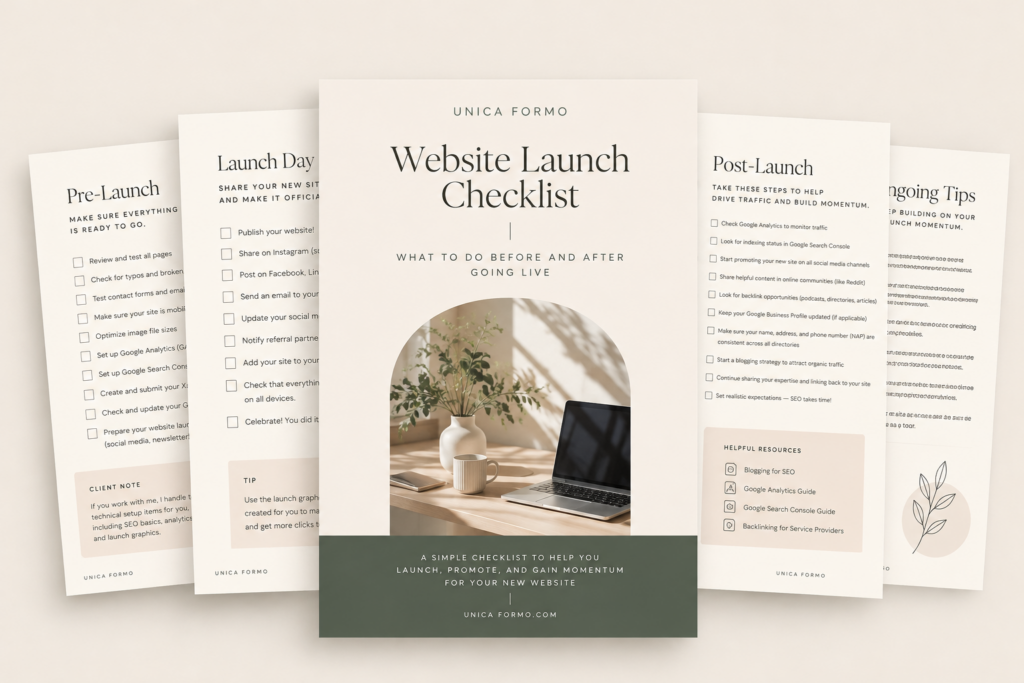
2. Prepare Your Website Launch Graphics and Announcements
This is something I specifically include in both of my web design packages because I know how easy it is to get caught up in the website itself and forget about announcing it!
If we’ve worked together: I provide branded website launch graphics that you can use to share your new site with your audience, along with directions for how to use them. These are designed to make it easier to announce your website without having to create everything yourself.

You can use these graphics on Instagram, Facebook, LinkedIn, or wherever you regularly connect with your audience. They can also be included in an email newsletter announcing your new website.
If you’re sharing a graphic on Instagram, remember that a website URL in a regular caption generally isn’t clickable. Direct people to the link in your bio or use a link sticker in an Instagram Story. For Facebook and LinkedIn, you can include a clickable link directly in your post.
And if you have an email list, I highly recommend sending a launch announcement there, too. These are people who have already expressed interest in your business, so don’t overlook them!
Not sure what to say? Focus on what’s actually improved for your audience. Instead of only saying, “My new website is live!” you might explain that visitors can now find your services more easily, book directly through your website, browse new resources, or learn more about how you work. Give people a reason to click through.
3. Set Up or Update Your Google Business Profile
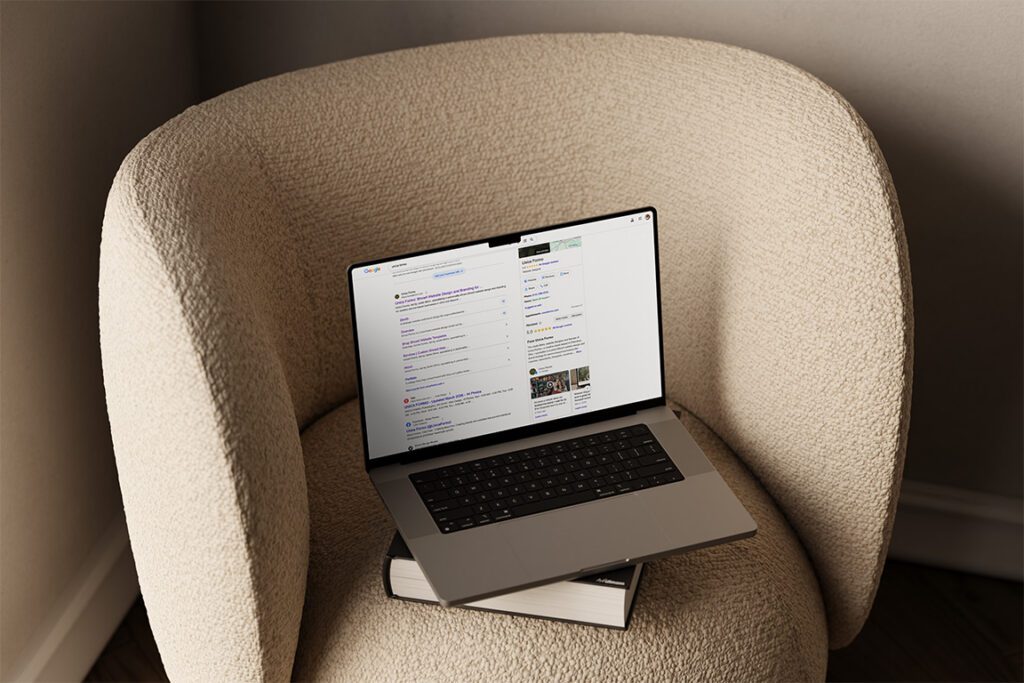
If you have a local business or work with clients in person, your Google Business Profile should absolutely be on your radar. Your Google Business Profile is what helps eligible businesses appear in Google Maps and local search results. It can display your services, location or service area, hours, contact information, reviews, and website.
For example, if someone searches for “therapist in Columbus” or “dietitian near me,” Google may show relevant local business listings before or alongside traditional website results. Having a properly maintained Google Business Profile gives your business another opportunity to be discovered.
If you already have a profile: Make sure your website URL, business name, services, hours, phone number, and other information are accurate.
If you don’t have one: Check whether your business qualifies and set it up if you’re eligible.
One important distinction: not every business qualifies for a Google Business Profile. Businesses that operate exclusively online without eligible in-person customer contact generally aren’t eligible. And while Google Business Profile is valuable for local visibility, you can still appear in Google’s regular organic search results without one.
I’ve written a full walkthrough on how to optimize your Google Business Profile, so I’d recommend starting there if yours needs attention.
Make Sure Your Business Information Is Consistent Everywhere
While you’re working on your Google Business Profile, this is also a great time to review your other business listings. In local SEO, you’ll often hear the term NAP, which stands for Name, Address, and Phone Number. Ideally, your core business information should be accurate and consistent wherever it’s published.
That includes your website, Google Business Profile, relevant business directories, professional associations, and other online listings. For example, if your business recently changed names, moved offices, or updated its phone number, you don’t want old information floating around that could confuse potential clients.
Consistency helps people recognize and contact the correct business, and it can help search engines associate accurate information with your business. That doesn’t mean a slightly different abbreviation in your address is going to destroy your rankings. Focus on correcting meaningful inaccuracies rather than obsessing over every punctuation mark.
And if you’re a service-area business that doesn’t serve customers at your home address, make sure you’re following Google’s rules about hiding that address. You shouldn’t publish a private residential address everywhere just for the sake of NAP consistency.
4. Double-Check Your Website Before Sending People to It
Before you start announcing your website, take a little time to click around and make sure everything is working properly. Even if you’ve hired a professional designer, it’s worth doing a final walkthrough from the perspective of someone visiting your website for the first time.
A few things I’d recommend checking:
- Open your website on your phone and desktop.
- Click through your navigation menu and important buttons.
- Test your contact form and confirm you receive the submission.
- Make sure booking links and other third-party integrations work.
- Double-check your services, pricing, and contact information.
- Review your website for any outdated information or typos.
- Make sure your privacy policy and other applicable legal information are in place.
If we’ve worked together: I handle the technical website preparation, desktop and mobile design, foundational SEO, image optimization, and launch-related checks included in your project. You don’t need to go through and redo all of that yourself.
But I always recommend reviewing your own business details, forms, and booking process before you start promoting your new website. After all, nobody knows your business better than you do!
Part Two: Launch Day — Get Your Website in Front of People
5. Announce Your Website Everywhere It Makes Sense
Your website is live! Now it’s time to get people over there.
One thing I want to emphasize is that you don’t have to rely entirely on Google to start generating website traffic. In fact, some of the fastest ways to get visitors to your new website involve audiences you already have access to.
Think about everywhere you currently connect with people:
- Instagram and Facebook
- Your email newsletter
- Relevant online communities
- Professional groups or associations
- Existing clients, collaborators, and referral partners
You don’t need to post the exact same announcement everywhere, either. On Instagram, you might share your branded launch graphic with a caption explaining what’s new. On LinkedIn, you could talk about how your business has evolved and why your new website better reflects the work you’re doing today. In an email newsletter, you might walk subscribers through a few of the updates they’ll find on your site.
You could even reach out to a few trusted colleagues or referral partners and let them know your new website is available if they’d like to share it with someone who could benefit from your services. The goal is to start creating opportunities for people to visit your website instead of waiting for search traffic to appear.
6. Update Your Website Links Across the Internet
This one is easy to forget, especially if you’re launching a redesign rather than a completely new business. Go through the places where your website is linked and make sure everything is pointing to the right destination.
That includes your social media bios, email signature, business directories, Google Business Profile, booking platforms, professional listings, and anywhere else your website appears. If your domain name is staying the same, you may not need to change much. But if specific page URLs have changed, it’s worth reviewing those links.
If we’ve worked together: I handle launch-related redirects included in your project when we’re changing existing website URLs, so visitors and search engines can be directed to the appropriate new pages.
If you’re managing redirects yourself, I have a separate guide explaining how to set up redirects in Showit. Redirects are particularly important when redesigning an established website because you don’t want valuable old links leading visitors to error pages.
Part Three: What to Do After Launching Your Website
7. Make Sure Your Website Is Connected to Google Search Console
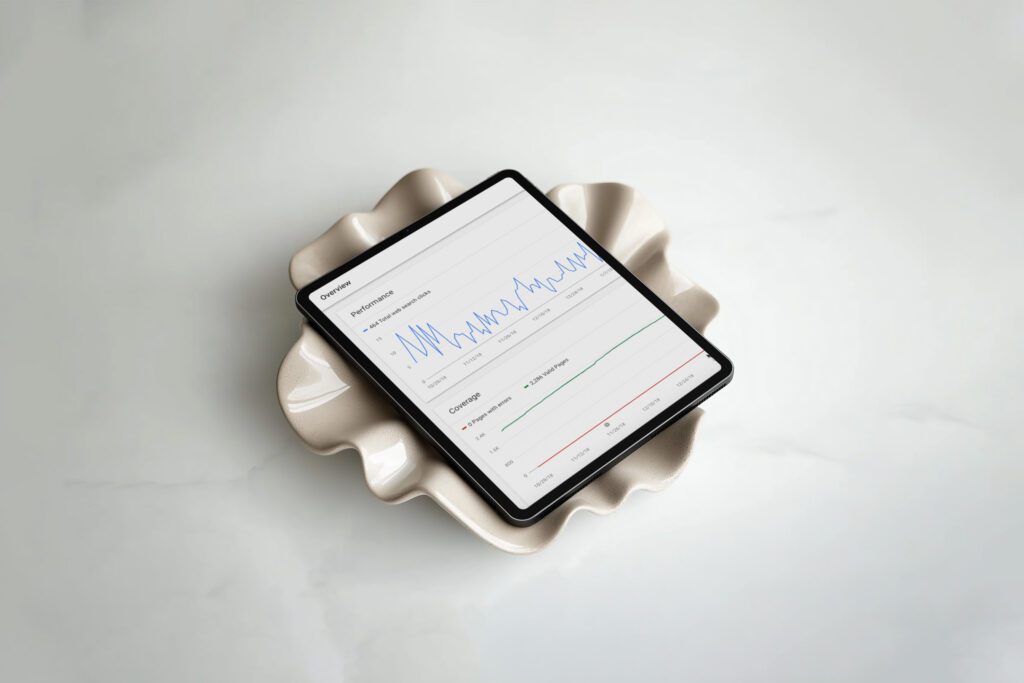
This is one of the most important things to understand after launching your website. Google Search Console is a free tool that helps you monitor how your website performs in Google Search.
It can show you which search queries your website appears for, how many people click through from Google, which pages are indexed, and whether Google has identified certain technical issues. If you’re wondering whether your website is starting to gain visibility, Search Console is one of the first places I’d recommend looking.
If we’ve worked together: Google Search Console setup and sitemap submission are part of the foundational SEO work I handle for my custom website projects. You shouldn’t need to start from scratch unless we discussed a different scope.
If you’re setting everything up yourself, I have a step-by-step tutorial on how to set up Google Search Console and submit your sitemap.
Should You Submit Every New Blog Post to Google?
I do, but you don’t have to. When you publish a new blog post, you can use the URL Inspection tool inside Google Search Console to check its indexing status and request indexing if needed. I often recommend checking important new pages after publishing, particularly when you’re actively building out your website’s content.
But here’s the distinction: Google doesn’t guarantee indexing after sitemap submission. Submitting your sitemap helps Google discover the URLs you want it to know about, but it doesn’t mean Google will automatically crawl or index every page. Even if you manually request indexing through the URL Inspection tool, that doesn’t mean Google will immediately crawl, index, or rank your page.
And submitting the same URL over and over isn’t going to make Google process it faster. Instead, focus on making sure your pages are accessible, internally linked, and filled with useful content. Your sitemap and indexing requests can help with discovery, but they aren’t shortcuts to better rankings.
If you start seeing unfamiliar statuses or warnings in Search Console, don’t immediately assume something is wrong. I’ve written a separate article on Google Search Console errors and which ones actually need attention.
8. Set Up Google Analytics So You Can Understand Your Traffic
Google Search Console and Google Analytics are two different tools, and I recommend having both. While Search Console focuses on your visibility in Google Search, Google Analytics helps you understand what happens when visitors actually arrive on your website.
For example, you can use Google Analytics 4 to learn:
- How many visitors your website receives
- Where visitors are coming from
- Which pages people are viewing
- Whether visitors are coming from search, social media, or other sources
- Which important actions people take, when you’ve configured tracking for them
This becomes especially useful when you’re actively promoting your new website. If you share your launch on Instagram, send an email newsletter, or get featured in an online publication, you’ll want to understand whether those efforts are bringing visitors to your site.
If we’ve worked together: I can help you understand the analytics setup included in your project, but I also recommend learning how to access and read your own data.
I have a full walkthrough on how to set up Google Analytics and connect it to Showit.
And don’t feel like you need to check your analytics every single day. Especially right after launch, traffic numbers can fluctuate quite a bit. Looking at trends over time is much more useful than worrying about a slow Tuesday.

9. Start Building Quality Backlinks to Your Website
This is a big one, and something I wish more business owners understood! A backlink is simply a link from another website pointing to yours.
For example, if you’re interviewed on a podcast and the host links to your website in the episode notes, that’s a backlink. If you’re featured in a local publication and the article links to your business, that’s another one.
Relevant, reputable backlinks can help people discover your business and can contribute to your website’s visibility in search engines over time. And the great thing is that building backlinks doesn’t have to mean doing anything complicated or spammy.
Think about opportunities that make sense for your business. Could you be a guest on a podcast in your industry? Contribute an article to a professional publication? Get featured in a local business roundup? Join a relevant professional directory? Collaborate with another business that serves a similar audience?
For a therapist, that might mean contributing educational content to a mental health publication. For a nutritionist, it could be sharing expertise in a wellness article or appearing on a podcast about digestive health. For a photographer, it might be having your work featured on a venue’s website or in an editorial publication.
These opportunities can introduce your business to new audiences while potentially earning valuable links back to your website.
I have an entire article dedicated to backlink strategies for service providers, including ideas for earning links without buying them or resorting to questionable SEO tactics. I’d highly recommend reading that one after your website launches.
10. Participate in Online Communities Where Your Ideal Clients Spend Time
This is another opportunity that doesn’t get talked about enough. You don’t always have to wait for someone to find you through a Google search. Sometimes you can go directly to the places where people are already asking questions related to your expertise.
That might be a relevant Facebook group, a professional community, or a Reddit discussion. For example, if you’re a dietitian who specializes in digestive health, you might find online communities where people regularly ask general questions about nutrition or managing digestive symptoms. If you’re a web designer, you might participate in conversations where small business owners are asking questions about their websites.
The key is to actually be helpful. Answer questions thoughtfully, share your expertise, and participate in conversations because you have something useful to contribute.
On Reddit specifically, you can include your website in your profile where permitted, but you should always follow each community’s rules about promotion and self-promotion. I wouldn’t recommend jumping into every thread just to drop your website link. That’s not helpful, and it can quickly come across as spam.
Instead, focus on becoming someone people recognize as knowledgeable and helpful. If someone visits your profile and decides to learn more about your work, your website is there for them to explore. This approach may help generate referral traffic, but it isn’t a guaranteed SEO ranking tactic. Think of it as building relationships and visibility first.
11. Keep Publishing Helpful, SEO-Focused Blog Content
Your website shouldn’t be something you launch and then never touch again. One of the best ways to continue creating opportunities for people to find your business through Google is by publishing useful content that answers the questions your ideal clients are already searching for.
And I don’t mean writing blog posts just for the sake of having a blog. You want to be intentional about the topics you’re choosing.
For example, if you’re a therapist who specializes in anxiety, think about the questions your potential clients might be researching before they’re ready to book an appointment. If you’re a nutritionist who works with clients experiencing digestive issues, consider the questions people ask before they understand what kind of professional support might help them. Those are opportunities to create helpful, relevant content.
But here’s where keyword research comes in. Just because a topic sounds interesting doesn’t necessarily mean people are searching for it. Before writing a blog post, I recommend researching the keywords people use, understanding what they’re hoping to find, and making sure your article answers that question.
You don’t need to publish every week, either. One thoughtful, well-researched article each month can be a much better use of your time than publishing several rushed posts that don’t offer much value.
I walk through this entire process in my guide on how to blog for SEO.
And once you’ve published a new post, don’t forget to share it! You can add it to Pinterest, mention it in your newsletter, link to it from related pages on your website, or share it when someone asks a question your article answers. Creating the content is only part of the process. Helping people discover it matters, too.
12. Understand Why a Brand-New Domain May Take Longer to Gain Search Visibility
First, it’s important to understand the difference between launching a website on a brand-new domain and redesigning a website on an existing domain.
If you’re launching on a brand-new domain:
You’re essentially starting from scratch when it comes to building your website’s online presence. Google needs to discover your pages, crawl them, understand what they’re about, and determine when they’re relevant to someone’s search.
You may not have many backlinks pointing to your website yet. You probably don’t have an established library of helpful content, and Google may have very little information about your website or business.
Think of it as building your reputation online. You’re giving search engines more opportunities to understand who you are, what your business does, and why your content is useful to the people searching for it.
That doesn’t mean Google automatically distrusts new websites. It just means a new website often hasn’t had the opportunity to establish the same signals that a well-maintained, established website may already have.
If you’re redesigning a website on an existing domain:
You may already have an advantage because your website has been around long enough to accumulate indexed content, relevant backlinks, and existing search visibility.
For example, if your website has been live for eight years and you’ve consistently published helpful articles, earned links from reputable websites, and maintained useful content, you may have a stronger starting point than someone launching a brand-new website.
But here’s an important distinction: domain age alone isn’t a Google ranking advantage. An eight-year-old domain with outdated content, very few useful backlinks, or a history of manipulative SEO practices isn’t automatically going to perform better than a newer website.
It’s not simply about how long you’ve owned your domain. It’s about what your website has built over that time.
And even an established website can experience ranking changes during a redesign, especially if important pages are removed, content changes significantly, or URLs aren’t properly redirected.
So, how long does it take for a new website to rank?
There’s no universal timeline. Some pages may begin appearing in search results relatively quickly, while competitive keywords can take considerably longer to gain visibility. And some pages may never rank well for their intended keywords.
That’s why I encourage clients to think of SEO as something they continue building on rather than something that should produce immediate results the day their website launches.
Your website’s foundational SEO gives you a starting point. Publishing helpful content, earning relevant backlinks, and making improvements based on actual search data can help you build from there.

13. Know What to Expect From Your SEO After Launch
I think this deserves its own section because there’s a common misconception that SEO is something you set up once and then immediately start seeing results from. That’s not quite how it works.
When I design a website, I include foundational SEO work to help make sure the site is properly structured and accessible to search engines. That includes things like page titles, meta descriptions, heading hierarchy, image optimization, and other launch-related SEO basics included in the project.
But foundational SEO and ongoing SEO strategy are two different things. Foundational SEO helps give your website a solid starting point. Ongoing SEO involves continuing to create useful content, researching keywords, earning relevant backlinks, monitoring performance, and making improvements based on what you’re learning.
And even when everything is technically set up correctly, Google doesn’t guarantee that your website will rank for a particular keyword or appear on the first page of search results.
If your website is new, you may initially see very few impressions or clicks. That doesn’t automatically mean something is wrong.
Instead of measuring success only by whether you’re ranking for a competitive keyword right away, pay attention to the progress you’re making. Are more pages being indexed? Are impressions starting to increase? Are you appearing for relevant searches? Are people beginning to visit your website from Google?
Those can all be useful signs that your website is gaining visibility. If you’re not seeing progress after you’ve had time to collect meaningful data, that’s when it’s worth looking more closely at your content, keywords, technical setup, and competition.
14. Review Your Website Performance and Keep Improving
Once your website has been live for a little while, start paying attention to what your data is telling you. I recommend setting aside time each month to review your website rather than checking your analytics constantly.
Look at which pages are getting traffic, what search terms people are finding you through, and whether visitors are taking the actions you want them to take.
For example, maybe one of your blog posts is getting impressions in Google but very few clicks. That could be an opportunity to review the page title and meta description, while also considering its ranking position and the search results around it.
Or maybe people are visiting your services page but rarely clicking through to your contact form. That might be a reason to review your calls to action, page content, or overall user experience.
Sometimes small adjustments can make a meaningful difference. And as your business grows, keep your website updated with new services, testimonials, portfolio work, and other relevant information.
If you’re not sure where to start, my website audit checklist for small business owners is another helpful resource.
A Simple Website Launch Checklist You Can Save
If you’ve made it this far, I know that probably feels like a lot of information! But you don’t need to do everything at once.
Here’s a simplified version you can work through as you’re getting ready to launch and during the first few weeks afterward.
Before launch
- Create a launch timeline and prepare social media announcements.
- Prepare your launch email or newsletter.
- Set up or update your Google Business Profile, if eligible.
- Review your business information across important online listings.
- Test your website’s links, forms, and booking process.
- Confirm that foundational SEO and analytics setup have been addressed.
Launch day
- Announce your website on your relevant social media platforms.
- Send your launch newsletter.
- Update your website links across online profiles and directories.
- Share your new website with relevant collaborators and referral partners.
After launch
- Confirm Google Search Console is connected and review your sitemap.
- Confirm Google Analytics is collecting data.
- Start identifying relevant backlink opportunities.
- Participate in online communities where your expertise is useful.
- Plan your next SEO-focused blog post.
- Review your website traffic and search performance regularly.
- Keep your website content updated as your business evolves.
Frequently Asked Questions About Launching a Website
How long does it take for a new website to show up on Google?
There’s no guaranteed timeline for a new website to appear in Google’s search results.
Google first needs to discover and crawl your pages, and then determine whether to index them. Some pages may be indexed within days, while others take weeks or longer. Google also doesn’t guarantee that every page will be indexed.
If your website is brand new, I recommend making sure it’s connected to Google Search Console, submitting your sitemap, and checking whether your important pages are being indexed.
You can follow my Google Search Console setup guide if you haven’t done that yet.
And remember, being indexed and ranking well are two different things. Your website can be indexed without appearing near the top of the results for the keywords you’re targeting.
Why isn’t my new website getting any traffic?
There are several possible reasons, and it doesn’t necessarily mean something is wrong with your website.
If you’ve launched on a brand-new domain, Google may still be discovering and evaluating your content. You might also be targeting competitive keywords, have very few backlinks, or simply haven’t started promoting your website yet.
This is why I encourage clients to think beyond Google immediately after launch.
Share your website on social media, send an announcement to your email list, update your business listings, and look for opportunities to get your website in front of relevant audiences.
You can start generating referral and social traffic while you continue working on your long-term SEO strategy.
Does submitting my sitemap to Google guarantee my website will be indexed?
No! Submitting your sitemap helps Google discover your website’s pages, but it doesn’t guarantee that Google will crawl or index every URL.
Google makes its own decisions about which pages to crawl and include in search results.
If a page isn’t being indexed, you can use Google Search Console to investigate the reason.
I’ve also written an article about Google Search Console errors and which ones actually need attention.
Should I submit every new blog post to Google Search Console?
You don’t have to manually submit every new blog post.
Google can discover new content through your sitemap and links from other pages on your website.
That said, I recommend checking important new posts through Google Search Console’s URL Inspection tool, especially if you’re actively publishing content and want to confirm Google can access it.
You can request indexing when appropriate, but it doesn’t guarantee immediate indexing or better rankings. But a little nudge to Google won’t hurt!
I cover this in more detail in my guide on how to blog for SEO.
Is it better to use an old domain or start with a new one?
An established domain can have advantages if it already has useful content, relevant backlinks, and existing search visibility.
But domain age by itself doesn’t make a website more trustworthy or guarantee better rankings.
If you’re redesigning an existing website, there’s often value in preserving your current domain, especially if it already receives organic traffic.
If you’re starting a completely new business, though, don’t feel like you need to purchase an old domain just to have a better chance of ranking.
A relevant, memorable domain that makes sense for your business is a perfectly good place to start.
Do I need a Google Business Profile for my website to rank?
No. You don’t need a Google Business Profile to appear in Google’s regular organic search results.
However, if you operate an eligible local or service-area business, having an accurate, optimized Google Business Profile can help improve your opportunities to appear in Google Maps and local search results.
It’s an important part of local SEO, but it’s not a requirement for every business.
If you’re eligible, I’d recommend reading my guide on how to optimize your Google Business Profile.
How can I get more people to visit my website right after launch?
Some of the fastest ways to bring visitors to a new website don’t involve waiting for Google rankings.
Start by announcing your launch to the audience you already have. Share it on your social media platforms, send an email to your subscribers, update your online profiles, and let your referral partners know about your new website.
You can also participate in relevant online communities, contribute your expertise to publications, and look for podcast or collaboration opportunities.
These activities can create immediate opportunities for people to discover your business, although the amount of traffic they generate will vary.
For longer-term growth, focus on publishing helpful SEO-focused content and building relevant backlinks.
How often should I check my website’s SEO performance?
For most small business owners, reviewing your performance once a month is a reasonable starting point.
I recommend looking at both Google Search Console and Google Analytics so you can understand how people are finding your website and what they’re doing once they arrive.
Pay attention to trends rather than individual days.
If your website is brand new, it may take some time to collect enough data to make meaningful decisions. Don’t panic if your numbers are small at first!
And if you’re not sure how to get started, my Google Analytics setup guide can help.
Your Website Launch Is Just the Beginning
A new website is something worth celebrating. You’ve put a lot of work into creating an online presence that represents your business, and getting it out into the world is a big milestone.
But I also want you to remember that your website isn’t supposed to do all the work by itself.
The design, content, and foundational SEO create the starting point. What you do after launch helps determine how many opportunities people have to discover it.
You don’t need to become an SEO expert or spend hours every day promoting your website.
Start with a few manageable things: announce your launch, make sure your business information is accurate, share useful content, build relationships within your industry, and pay attention to what’s working.
Then keep going.
And if you’re planning a new website and want someone to handle the design and technical setup for you, that’s where I come in.
I design custom Showit websites for service-based businesses, with thoughtful design, foundational SEO, mobile optimization, and launch preparation built into the process.
You can explore my website design services or book a free discovery call to talk about your project.
Pin for Later:

Jordin Brinn is the founder and lead designer of Unica Formo — a creative studio in Columbus, Ohio, specializing in custom Showit website design and brand strategy for service-based businesses like coaches, consultants, therapists, creatives, and wellness professionals. With over a decade of business experience, she helps clients bring strategy, clarity, and personality to their online presence.
Explore design services and free resources at unicaformo.com.


